Wordless Wednesday

Dyslexia Gold Full Bundle from Dyslexia Gold is an innovative program developed to help your child learn to read and focus better. Many children have challenges with reading and focus in today’s world. This program is designed to help.

Don’t let the title fool you. Dyslexia Gold can be used with most children who struggle to read and learn. In our family, we have two of those. Through this program, you will boost your child’s confidence, help them develop techniques and skills that really work for them, and achieve fluency and other reading skills they may struggle to develop.
Eye Control, Phonological Awareness, Phonics and Vocabulary are all skills needed for reading. Vision training helps your student learn to decipher what they are reading and seeing on a page. By building fluency, your student develops the ability to spell and understand word meaning better.

When you first log-in to your student’s account, you will immediately find a test that will check their skills to see just how fast they read and how well. It’s a simple and easy to complete series of images the student clicks on. It is the first task of the program, and once complete, your student can then access the rest of the program to begin training their eyes and brains.
The program requires 3D glasses for your student to complete some lessons. These glasses help with training the eyes to “see” the letters and words they are learning. This helps build fluency as well as vision training.
I want to note that 3D is great for my son who loves video games and fun things like that but not so great for my children with Epilepsy as 3D can be a seizure trigger. I personally did not notice this detail when I signed up for this review – my own fault for not reading the description thoroughly. Because of this, the program was not a good fit for us, but would be a great fit for other families who don’t have our health issues. I can really see this program helping students who have reading struggles develop and become better readers. That said, let’s continue.

There are four game sections on the student’s page: Engaging Eyes, Fluency Builder, Spelling Tutor, and Times Table Tutor. Engaging Eyes and Fluency Builder both use the 3D technology for vision training. The suggested amount of time for the program is 15 minutes per day of practice to help students build their skills.
Engaging Eyes begins with some 1 Minute Reading Speed tests just to see how well your student can comprehend and read. There are 16 levels for your student to work through to help them train. It’s very easy to do. There is also a fun Whack An Alien game that your student is rewarded with, plus it helps with vision training too.
In Fluency Builder, you can set a student’s reading level: Easy, Medium, Hard. You can change this per lesson and you can give the program an English or American accent. Lessons depend on the level you choose to start the student on and are self-paced to follow along as they develop skills. Very easy to follow and learn through.
In Spelling Tutor, you can set the session length to either 10, 15 or 20 minutes increments. You can choose from 4 accents: English, American, Australian or Scottish and you can set your time zone. You begin by typing the word you hear and follow along as directed in the program itself. It’s great for dictation and fluency.
In Times Table Tutor, you begin with a quick test to see what tables you already know. This helps the program know where to start the student. Once this is done, your student begins activities to help them learn more about the tables and grow in their understanding. This also links math to reading and helps the student see that reading skills are important across the board. This game does take you to a different site so please be aware if you try to log-out and back in, you are no longer on the Dyslexia Gold page though this a part of the program.
All of these programs work together to help your students build important skills that they need to be able to read proficiently and fluently. It’s very easy to follow, fun to complete, and doesn’t require a great deal of work on your part to have your student work through and complete. There are reports to help you see how well your student is doing. The program can be used for homeschooling or public or private schools alike. We received a family license for our review. It can be used for multiple students as well.

There is a screening tool available as well for a small fee.
The Dyslexia Gold Full Bundle with family license costs $55 a month. Paypal is accepted for payment.
You can find Dyslexia Gold online at:
Facebook: https://www.facebook.com/DyslexiaGold/
You can read more reviews of Dyslexia Gold by clicking the banner below:

Disclaimer:


For this review, we were given a digital copy of Jump In, 2nd Edition from Writing with Sharon Watson. I thought this would be a great course for Emmalee to take a look at as she has taken a recent interest in writing. She really has my passion for words and stories, but the average curricula tend to bore her.

I wasn’t sure about Jump In, 2nd Edition at first. The available sample download only gives a glimpse at the actual curriculum but it does offer some insight. However, with Emma’s tastes, I wasn’t sure if this would fit well for her but I thought we’d give it a try anyways.
I was not disappointed. Jump In is a wonderful, well-written curriculum for middle school students and those in high school who may need a review for Composition. In many states, composition is required for middle school ages and this course is simply perfect for that in my opinion.
It’s completely student guided. There is a teacher’s guide but it’s really just to help you, the parent, to answer any questions your student may have as they work through the course on their own. It’s the perfect course for your student to gain some independence in their education. It would be great for a student who is learning on their own for the first time as the workbook is completely self-directed and easy to follow along with.
Jump In, 2nd Edition Teacher’s Guide

This is a guide for Middle School Composition. I received a digital copy. It is 123 pages in length and prints on regular copy paper to 8.5×11 size. There is a Table of Contents to help you easily find your way around the guide.
The guide begins with helping you in setting up a one, two or three year schedule for your student to use. Find the fit that works best for your student. If they need more time and are just learning composition skills, then 3 years may fit best but if they’re determined writers then a one year plan may be more to their tastes. I let Emma work at her own pace.
Through the rest of this guide, you will find helpful tips to guide you in the process of guiding your student. An explanation of the Steps of Writing, a checklist of completion to help your student write better, and information galore about the writing process. You will also find grading guides to help you grade your students work as they learn.
Jump In, 2nd Edition Middle School Composition Workbook
Digital Format
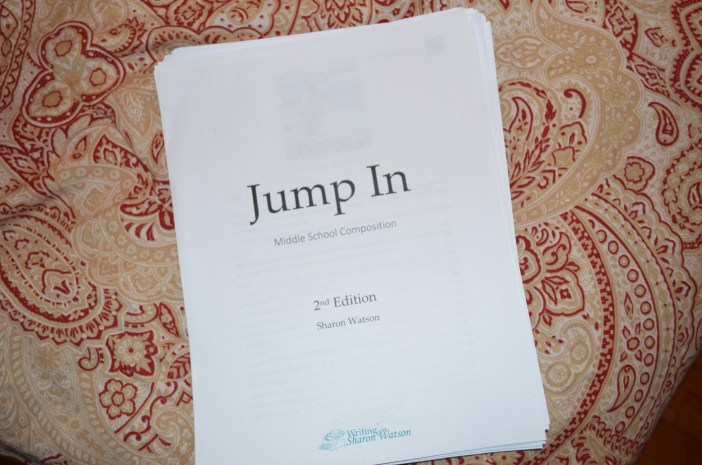
The student workbook is 292 pages in length. It can be easily printed. I used front and back formatted printing for Emma’s copy.
There is a Table of Contents at the front of the guide to allow your student to easily find things within the guide. The lessons are very easy to understand and follow along as your student works. We chose to allow Emma to work self paced on her course.

You waste no time jumping right into the coursework. It isn’t a heavily structured format and lessons flow like reading a fun activity book. There are fill in questions that your student answers, checklists of questions to check off, and loads of other fun activities that get your student creating content right away. And it really is fun, not mundane tasks being completed but challenging, though-provoking learning that gets your child writing.

There are 98 Skills lessons, and an additional 19 Skills that are checklists and written assignments to be completed. Lessons vary in length from 5 to 20 minutes to completion, depending on how your child does. The course teaches writing sentences and advances to teaching how to write 9 different types of essays, and a research report complete with citation work. Proofreading is part of the learning experience as well. Your student will need a separate Grammar program to use along with Jump In. Writing assignments vary in word length by assignment.

We have really loved and will continue to use Jump In, 2nd Edition for Emmalee and for other students in the future. It’s a wonderful course that really keeps Emma motivated to write and learn more. She truly loves it.
You can purchase Jump In, 2nd Edition as a digital download for $40.
You can purchase Jump In, 2nd Edition Teacher’s Guide as a digital download for $10.
You can find samples of these workbooks on the website as well.
You can find Writing with Sharon Watson online at:
Facebook: https://www.facebook.com/writingwithsharonwatson
Pinterest: http://www.pinterest.com/writingwithshar
You can read more reviews of Writing with Sharon Watson by clicking the banner below:

Disclaimer:

If I had a list of companies that I love, it would definitely include Hewitt Homeschooling Resources. Over the years we have reviewed many products from them and all have been absolutely fabulous. For this review, I chose the My First Report series and received My First Report: Solar System.


What I wasn’t expecting and what I love so much about Hewitt Homeschooling Resources was the additional gift of My First Report: Bugs and Worms
and My First Report: Famous People for us to enjoy as well! These studies are all well designed and amazing to work on with my children. All of these reports are for grade levels 1 through 4.

We love learning about the Solar System but we haven’t done much with learning about it with Jackson, so I was happy to get this report and work on it with him to help him learn more about our planets and how the universe is designed. He enjoys looking at the Stars and we often talk about the planets but we just haven’t been in depth on the lessons. This report was the perfect guide to help us teach him more.
This is a Faith-based studies created by Christine Dillon. It’s 58 pages in length and comes in a stapled, printed computer paper with a card stock cover and end sheet. It is 3-hole-punched for your convenience to be able to be placed into a binder if you wish.

At the beginning of the report, you will find a brief explanation on how to use the report with your child, and then the report begins. There are 12 pages of questions – one for the Sun, one per planet including Pluto, and one for Asteroids, Comets and Meteors. Each page contains 5-7 questions about the part of the Solar System being covered and Vocabulary at the bottom of the page as well.
On page 27 of the study, you can find suggestions of activities to be done with your students for the Unit Study and Report. You can adapt these as needed. The reports are very flexible and offer deeper research for older students as well. The Unit Study portion covers Bible, History/Geography/Social Studies, Reading, Language, Math, Science/Health, Physical Education, Music, and Art. It also offers Field Trip ideas, and Resource information to help you further explore the Report’s lessons.
On page 42, you will find a full list of Vocabulary, complete with definitions for each term. Page 43 is a fun Wordfind for your student to complete. Page 44 provides a chart of information to explore and to fill out. Page 45 is a chart that shows how the Planets travel around the Sun. On pages 46 and 47, you will find a chart of Constellations and their names. Pages 48 and 49 provide copywork which is followed by several blank forms to be used during the study for Reading and Writing activities.
The packet is designed for you to use one topic each week in order to expand the report for a quarter of a semester. It covers everything from why each hemisphere has seasons at differing times, to the first space accident, to figuring out how high you can jump on each planet. There are many fun activities and many challenging ones as well to be completed with your students. What you choose to do is up to you, the teacher and parent, though.
We really enjoyed the My First Report: Solar System packet. It was a lot of fun to learn together and perfect for Jackson. Laycie enjoyed learning more as well through using this report as a study.

My First Report: Bugs and Worms
This report covers Grasshoppers, Flies, Ants, Bees, Fireflies, Crickets, Ladybugs, Spiders, Caterpillars, Butterflies/Moths, Dragonflies, and Worms. Written by Christine Dillon, it is 54 pages long and follows a similar style to the Solar System report. It too can be stretched to last for a quarter of a school term.
My First Report: Famous People
This report covers Christopher Columbus, George Washington, Abraham Lincoln, Sir Issac Newton, Rembrandt, Laura Ingalls Wilder, Clara Barton, Benjamin Franklin, Thomas Alva Edison, Martin Luther, Susanna Wesley and Booker T. Washington. This report is 44 pages in length and is similar to the others. It is very easy to follow and helps you design a study that is thorough yet fun.

Each of these studies is available for $8.95. You may also purchase a download.
You can find Hewitt Homeschooling Resources online at:
Facebook: https://www.facebook.com/hewitthomeschooling
Twitter: https://twitter.com/hewittonline
Pinterest: https://www.pinterest.com/hewittonline/
YouTube: https://www.youtube.com/user/HewittOnline
Instagram: https://www.instagram.com/hewittonline/

Read more reviews of Hewitt Homeschooling Resources by clicking the banner below:

Disclaimer: